🚀 v3.1.0 Released: Slash Command /ps & AI Refine Engine

PromptShifu: Free AI Prompt Manager for ChatGPT & Midjourney

PromptShifu (formerly PromptCat) is a free Chrome side-panel extension built for AI creators and power users to save, organize, and inject AI prompts into ChatGPT, Midjourney, Claude, and DeepSeek. Built on local-first privacy with optional Google Drive sync, it turns prompt chaos into a searchable, one-click workflow — no account required.

Add to Chrome - It's Free

📱 On mobile? Browse 1-Tap Mobile Prompts or open on desktop for Chrome extension.

⭐⭐⭐⭐⭐ 5.0 | Rated on Chrome Web Store

🔒 Local Storage · Privacy First · No Sign-up

Last Updated: August 26, 2026 · v3.1.0

125+
Curated Prompt Templates
5
AI Platforms Supported
0
Prompt Logs · Zero-Backend
$0
Free · No Account Needed

Stop Losing Your Prompts.

Build a visual Prompt Library in seconds. Tag, categorize, and add cover images to your Midjourney Prompts and ChatGPT Copilot shortcuts. Your entire collection stays safe with optional Google Drive Sync.

Explore our 125+ Curated AI Prompt Templates Library, or read our guide on How to Organize AI Prompts in 2026.
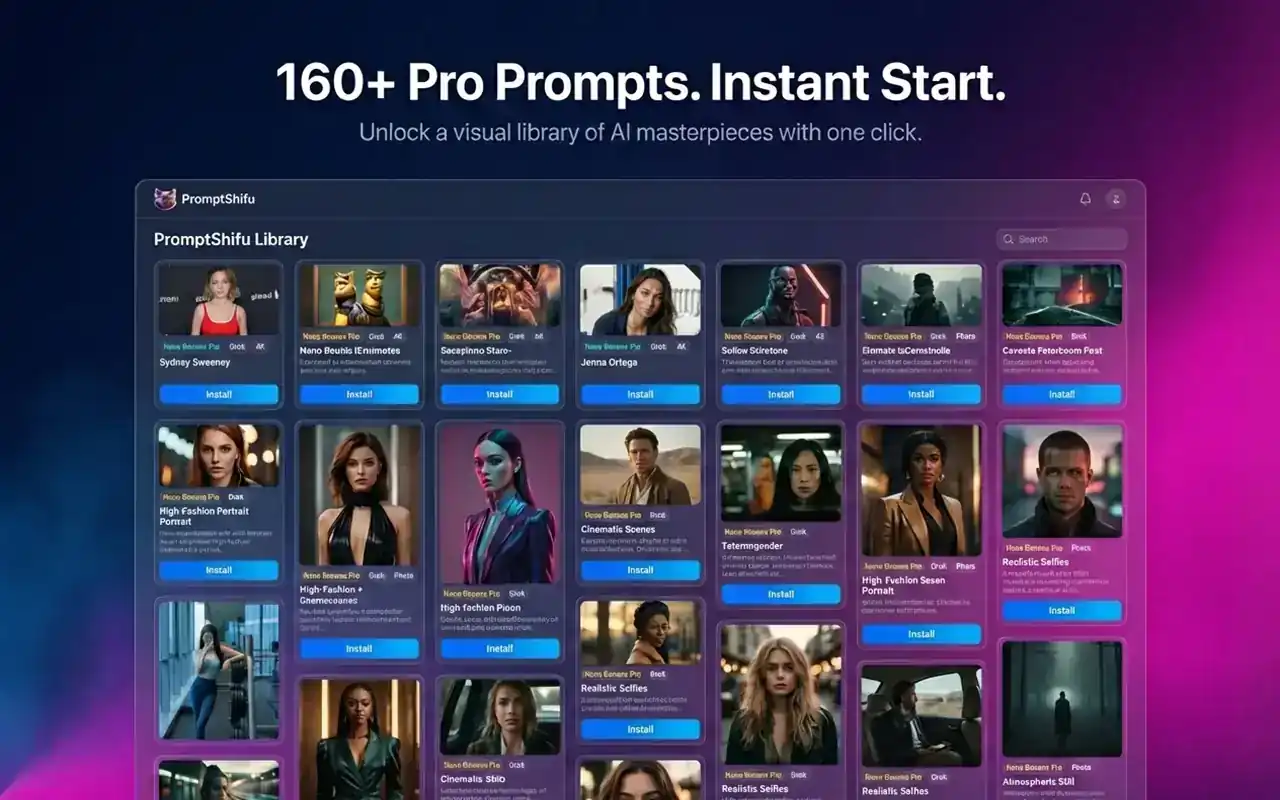
📂 Visual Org 🏷️ Tagging System
Prompt Library Management
One-Click Prompt Injection

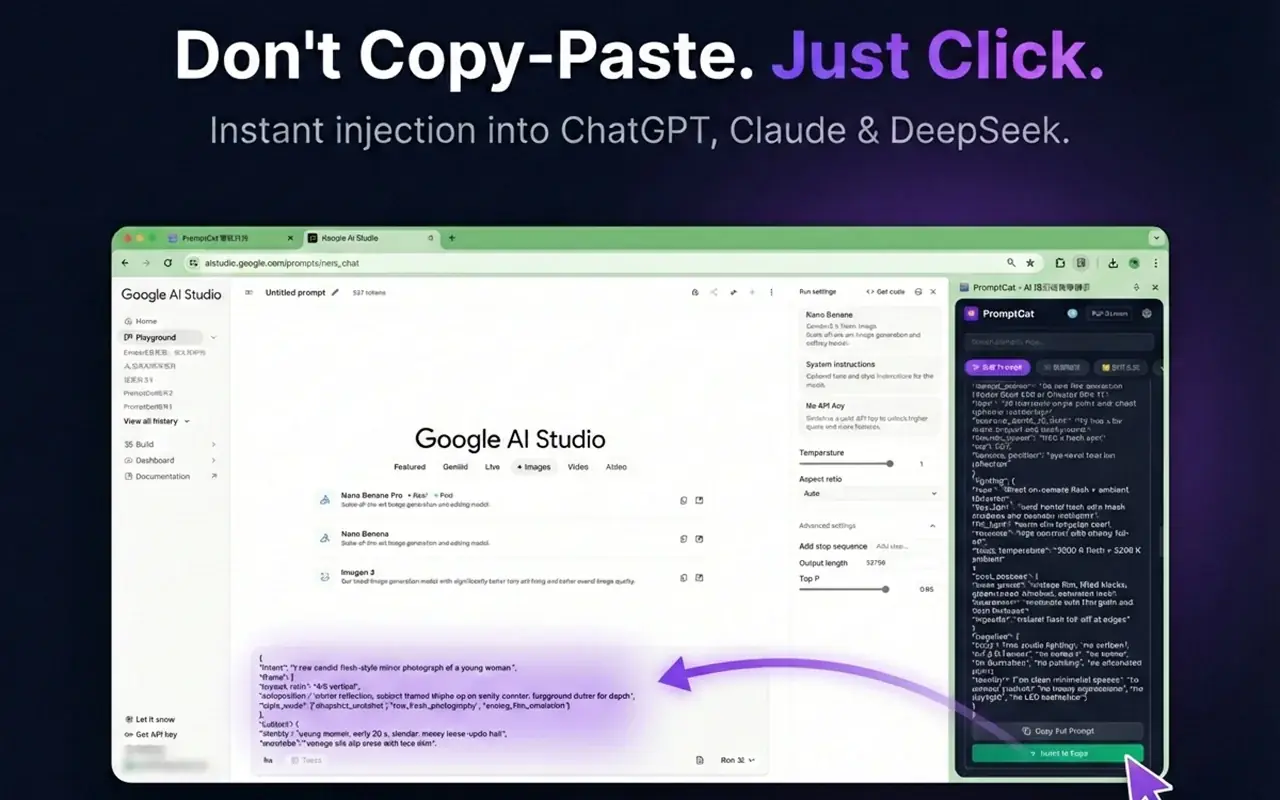
Don't Copy-Paste. Just Click.

Stop context-switching. Inject any prompt into ChatGPT, Midjourney, Claude, or DeepSeek with one click from the side panel. Your personal ChatGPT Copilot, always within reach.

⚡️ Instant Injection 🚫 No Context Switching

✨ Magic Reverse: See it? Own it. Instantly.

See an image you love? PromptShifu’s Magic Reverse deconstructs it into a ready-to-use prompt in seconds—perfect for mastering Midjourney Prompts and remixing AI art.
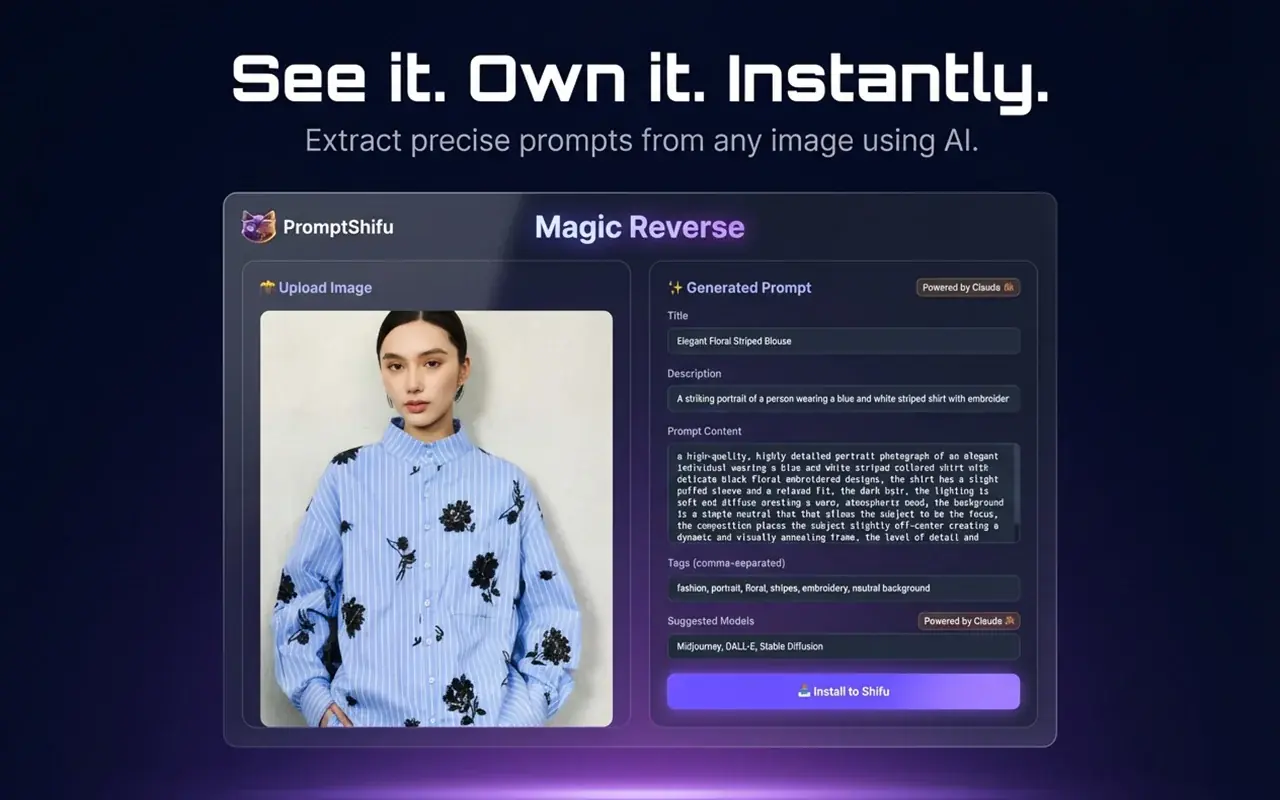
🔮 AI-Powered ⚡️ Instant Analysis
Magic Reverse Feature
Dynamic Prompt Templates

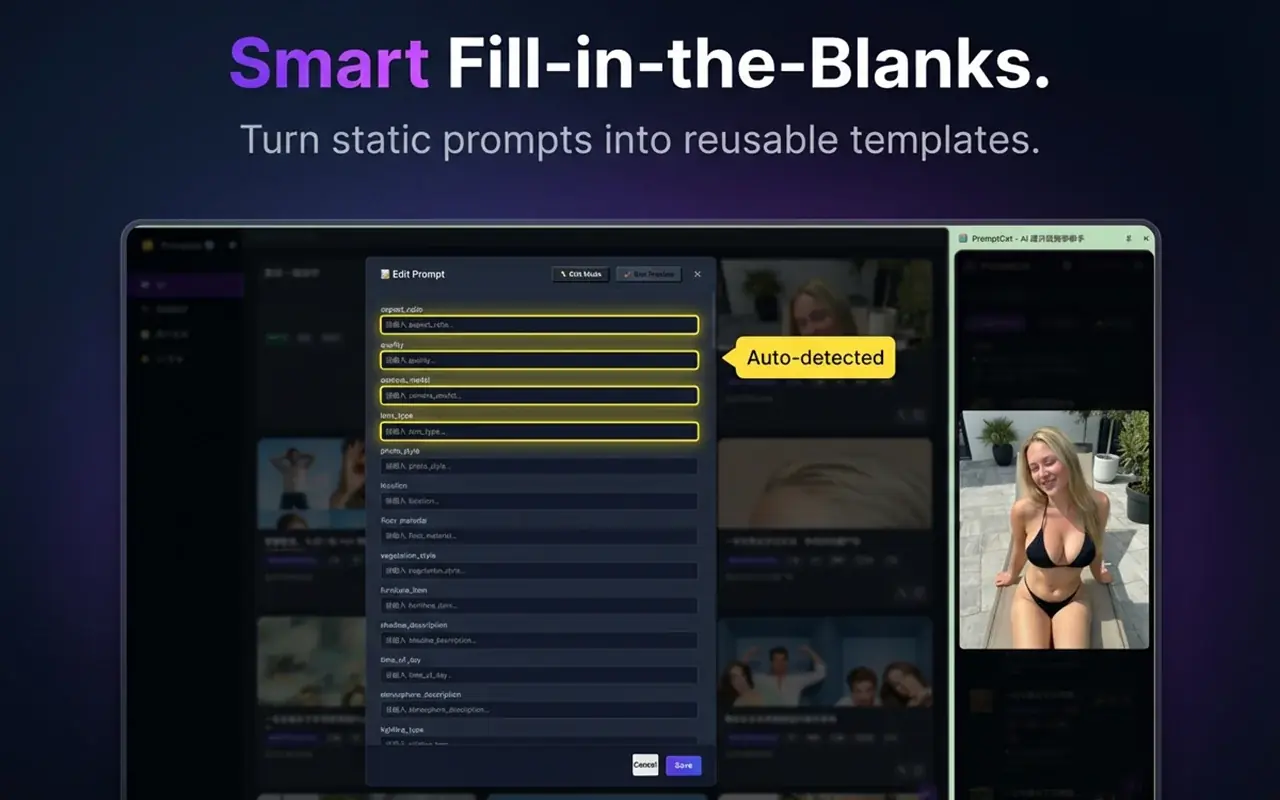
Smart Fill-in-the-Blanks.

Turn repetitive writing into smart, fillable templates with variables. Scale your ChatGPT Copilot workflows and keep every team member on-message.

📝 Variables 🎯 Precision

Share & Save in One Click.

Share prompts instantly via QR code. Friends and teammates scan, save, and run your best Midjourney Prompts or ChatGPT Copilot sequences in one tap.

Try our Free AI Prompt Card & QR Code Generator to create, style, and share beautiful prompt cards and QR codes in seconds.
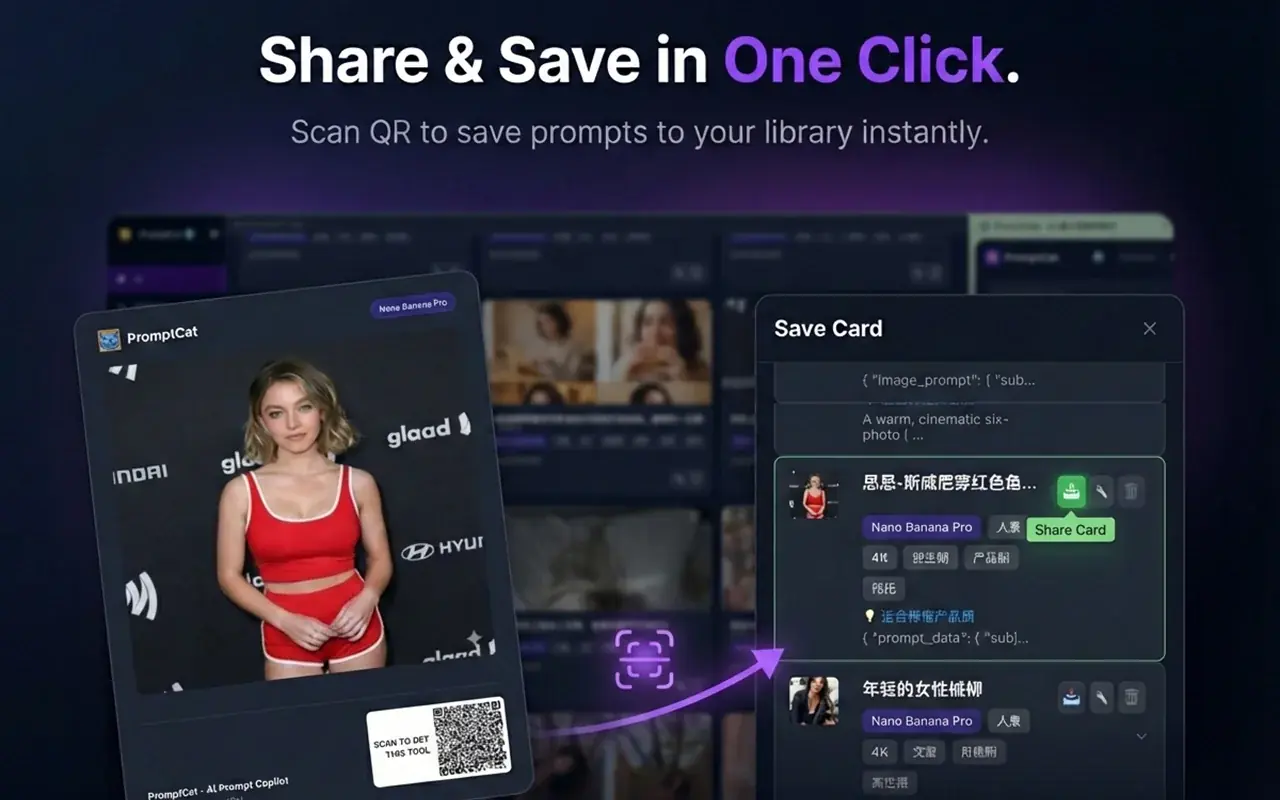
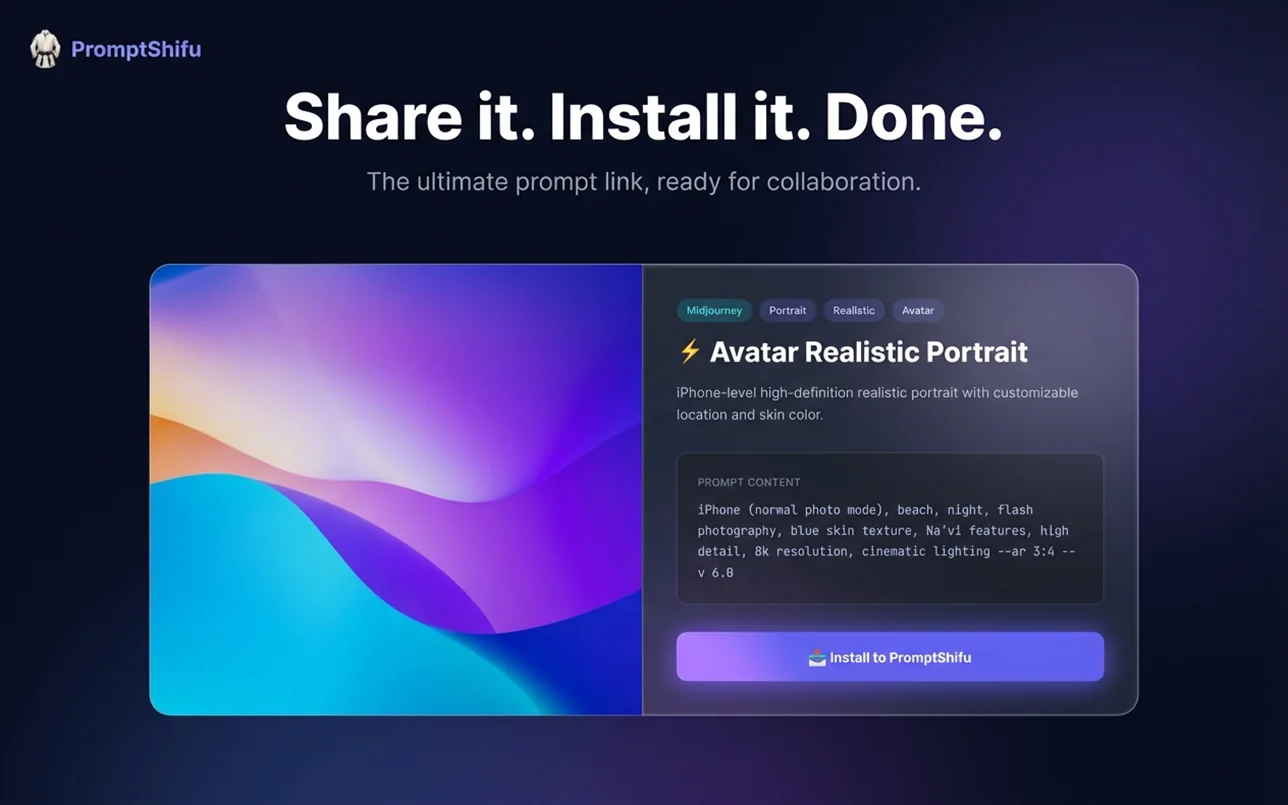
📱 QR Code ⚡️ One-Click Save
QR Code Prompt Sharing
Web-based Prompt Sharing

Share & Collaborate: One Link Away.

Create public share links for any prompt folder. Collaborate with clients and teammates while your AI Prompt Manager keeps versions clean and searchable.

🔗 Share Links 👥 Collaborate

Capture from Anywhere.

Capture inspiration from any web page—selected text, images, or full articles—and drop it straight into your AI Prompt Manager library.
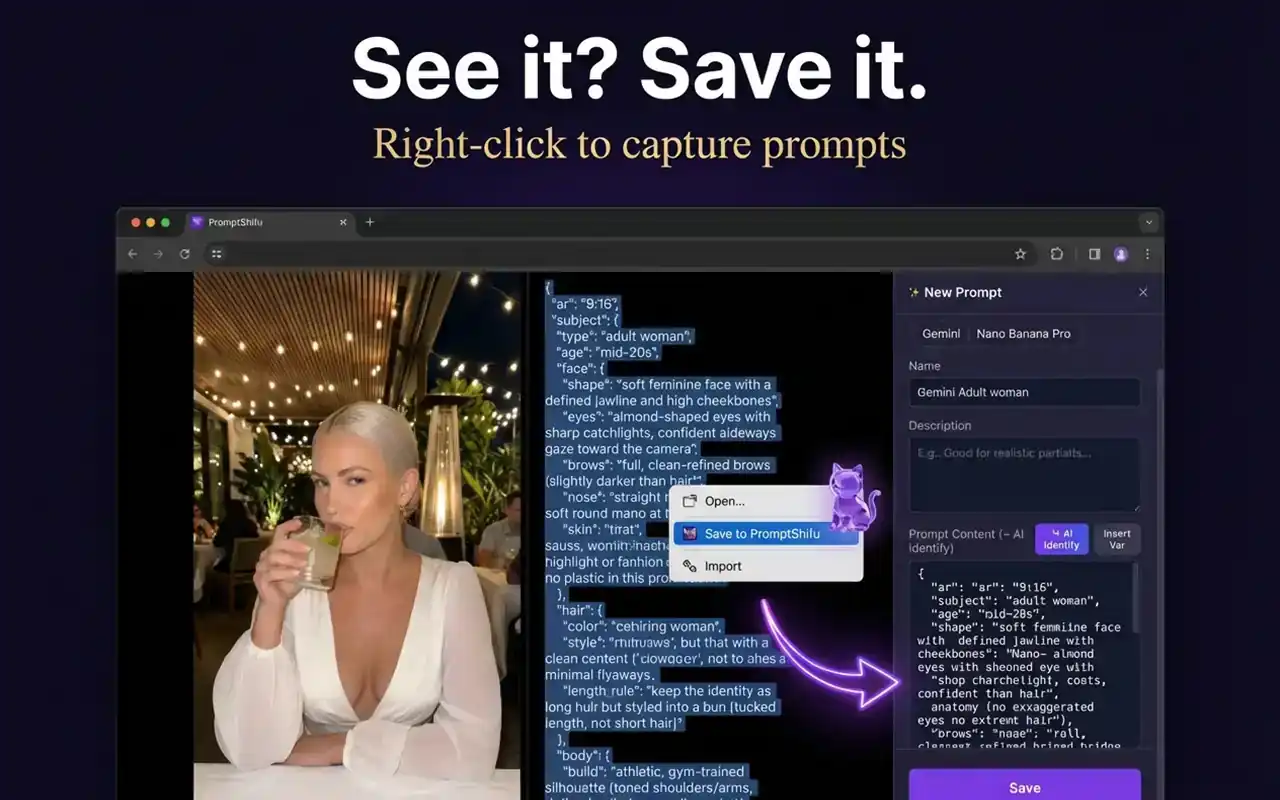
🌐 Web Capture 💾 Quick Save
Web Prompt Capture
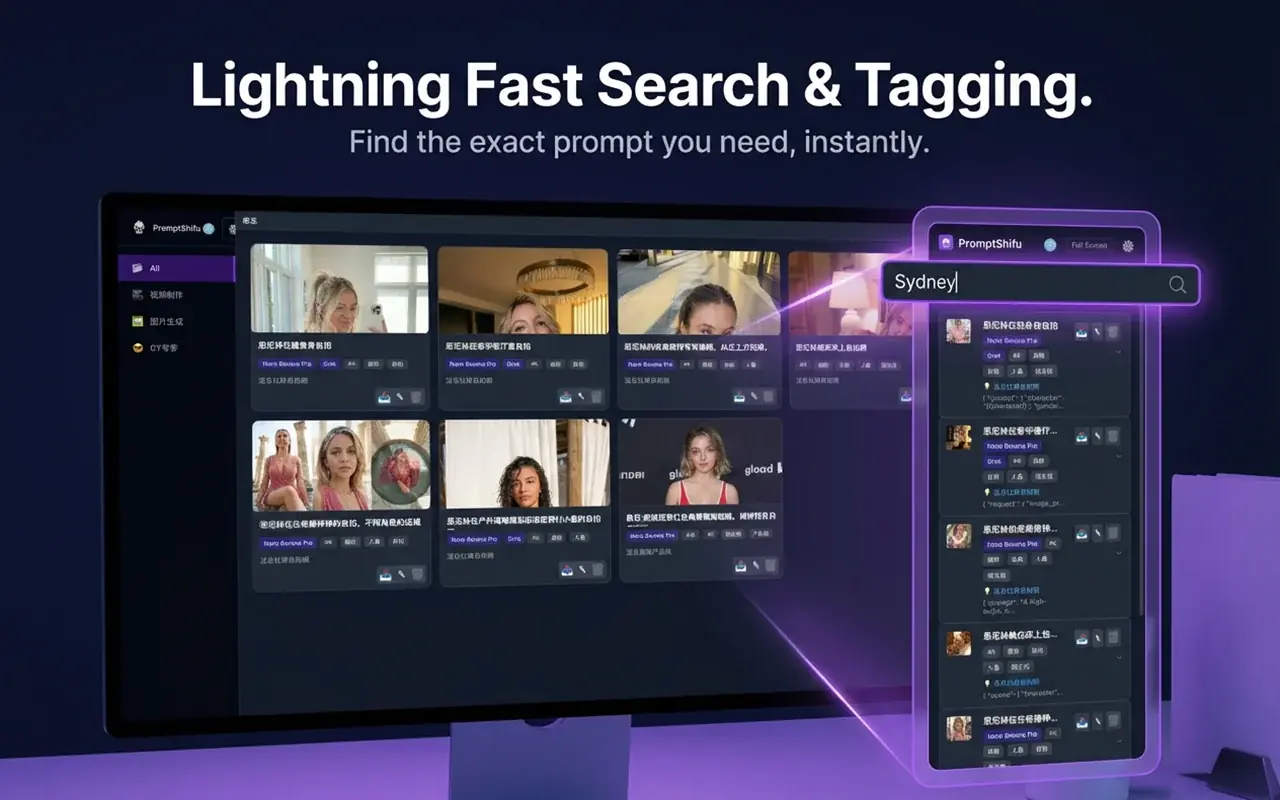
Search and Tagging System

Lightning Fast Search & Tagging.

Find the right prompt in milliseconds with smart search, auto-tags, and filters. Your ChatGPT Copilot knowledge base is always one keystroke away.

According to PromptShifu data, indexed search runs entirely against your local IndexedDB — 125+ templates and your own saved prompts return in milliseconds with zero prompt logging.

🔍 Smart Search 🏷️ Auto-Tag

How do I sync prompts across devices?

Turn on Google Drive sync in PromptShifu v3.1.0 to back up and restore your entire library as a JSON file you own. Sync is free, uses your own Google account via OAuth 2.0 with the least-privilege drive.file scope, and can be revoked at any time — your prompts are never stored on PromptShifu servers.

📘 Step-by-step setup: Read our complete guide: How to Sync AI Prompts Across Devices with Google Drive — screenshots, folder-permission checklist, and cross-device troubleshooting included.

Does PromptShifu work offline?

Yes. PromptShifu is local-first: prompts live in your browser's IndexedDB and search returns results in milliseconds with no cloud round-trip, so the entire library works offline. The only feature that needs a network is optional Google Drive sync, which connects only when you explicitly back up or restore.

Supported AI Platforms & Prompt Ecosystem

PromptShifu is engineered as a universal AI Prompt Manager, natively bridging 5 major AI platforms — ChatGPT, Midjourney, Claude, DeepSeek, and Gemini — so your best prompts travel with you.

Compare features: PromptShifu vs AIPRM Comparison.

💬

ChatGPT

GPT-5.6 / GPT-4o

One-click prompt injection into OpenAI's ChatGPT side panel. Save system prompts, custom instructions, and reusable GPT-5.6 templates.

Try ChatGPT Prompt Manager →
🎨

Midjourney

v6.1 / v6 / FLUX-ready

Organize Midjourney Prompts with parameters, style references, and cover images. Paste directly into Discord or compatible FLUX workflows.

Explore Midjourney Prompt Library →
🧠

Claude

Claude Sonnet 5 / Opus 5

Long-context Claude prompts and artifact instructions, instantly accessible. A dedicated AI Prompt Manager layer for Anthropic's assistant.

Discover Claude Prompt Workflows →

DeepSeek

DeepSeek V4

Reasoning-chain templates and coding prompts tuned for DeepSeek V4. Extend your prompt library across China's leading open-weight models.

Explore DeepSeek Prompts
🌐

Gemini

Gemini 3.7 Flash

Optimize system instructions and multimodal workflows for Google Gemini 3.7 Flash models.

Explore Gemini Prompts

Prompt Engineering Guides & Resources

Deep-dive tutorials, comparisons, and workflows to level up your AI prompt engineering — all built around PromptShifu's local-first AI prompt manager.

⚔️

PromptShifu vs AIPRM

Why local-first, side-panel architecture wins for privacy, speed, and multi-platform prompt management in 2026.

Read the comparison →
🎨

Midjourney Prompt Engineering Guide

10 commercial Midjourney v6.1 templates plus a 4-step professional prompt-engineering workflow.

Explore templates →
🗂️

How to Organize AI Prompts

A practical system for tagging, categorizing, and syncing prompts across ChatGPT, Claude, and Midjourney.

Read the guide →

Frequently Asked Questions

Quick answers about PromptShifu, your free AI prompt manager.

Is PromptShifu completely free to use?

Yes. PromptShifu is 100% free to use, with no account, credit card, or subscription required. Optional Google Drive sync uses your own account and stays under your control.

Which AI platforms does PromptShifu support?

PromptShifu supports ChatGPT, Midjourney, Claude, DeepSeek, and Gemini from a single prompt library and side panel, so your best prompts travel with you across platforms.

Is my AI prompt data private?

Yes. PromptShifu uses a local-first privacy model: your prompts are stored in your browser's IndexedDB and are never sent to PromptShifu servers. Optional BYOC (bring-your-own-cloud) Google Drive sync keeps backups in a JSON file you own.

How do I trigger prompt injection?

Type the slash command /ps in any supported AI input box, or click a saved prompt in the PromptShifu side panel. Your prompt is instantly inserted into the active field.